
Text messaging has become one of the most common ways people communicate, whether for personal conversations, work updates, or sharing sensitive information. But as convenient as messaging is, it also comes with risks. Cybercriminals, scammers, and even people you know may attempt to access your messages without ever touching your phone.
While this may sound alarming, you’re not powerless. By learning the early warning signs and understanding how unauthorized access happens, you can protect your privacy before any real damage occurs.
Below are three major signs that someone may be reading your text messages remotely — and what you can do to secure your device.
Sign 1: Your Phone Suddenly Becomes Slow, Hot, or Drains Battery Quickly
A healthy phone should run smoothly. When it suddenly becomes sluggish, overheats, or loses battery faster than usual, it’s often a sign that something is running in the background — possibly spyware.
Common symptoms include:
- Apps take longer to open
- Your phone freezes or lags
- Battery drains unusually fast
- The device feels warm even when idle
- Data usage spikes without explanation
Spyware is designed to run silently, collecting your messages, call logs, and app activity. Some types can even forward your texts to another device in real time.
How spyware gets installed
Unauthorized access can happen if someone:
- Knows your iCloud or Google account password
- Has physical access to your phone
- Installs a monitoring app disguised as something harmless
- Uses phishing links to trick you into installing malware
What to do if you suspect spyware
- Run a full malware scan using reputable antivirus software.
- Review all installed apps and delete anything unfamiliar.
- Check for configuration profiles (iPhone) that you didn’t install.
- Close unnecessary background processes to see if performance improves.
- Perform a factory reset if the issue persists.
- Only download apps from official stores like Google Play or the App Store.
These steps help remove hidden software that may be monitoring your messages.
Sign 2: You Receive Strange or Unsolicited Messages
Another red flag is receiving unusual text messages — especially those containing random codes, suspicious links, or messages that seem out of place.
Examples of suspicious messages:
- Texts with verification codes you didn’t request
- Messages containing strange symbols or numbers
- Spam texts referencing personal details
- Links urging you to “click to view a message”
These can be signs that someone is attempting to intercept your messages or trigger account access.
Check for SMS forwarding
On some devices, text messages can be forwarded to another phone or computer without your knowledge.
For iPhone users:
- Go to Settings
- Tap Messages
- Select Text Message Forwarding
- Disable any devices you don’t recognize
If you see devices you don’t own, someone may be receiving copies of your messages.
Why this matters
SMS forwarding is convenient when you use multiple Apple devices, but it becomes a privacy risk if someone else has access to your Apple ID.
Sign 3: Your Messages Show as “Read” Even When You Haven’t Opened Them
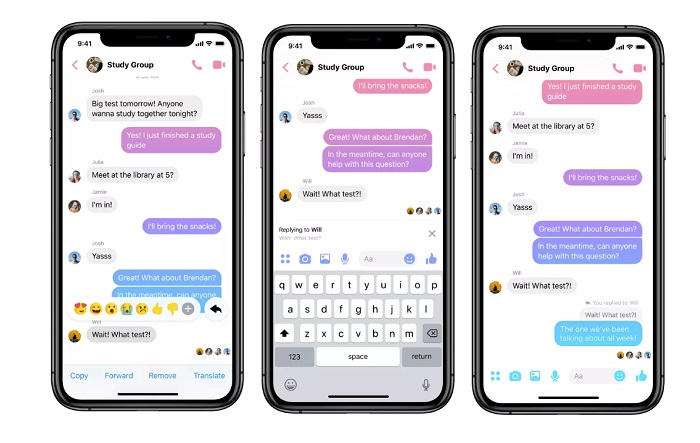
One of the clearest signs of unauthorized access is when messages appear as “read” even though you never opened them.
This can happen across multiple platforms:
- iMessage
- Facebook Messenger
- Telegram
- Google Messages
How to test this
Ask a friend to send you a message. Do not open it. If the message shows as “read” on their end, someone else may have accessed your account.
Possible causes
| Cause | Solution |
|---|---|
| Someone else is logged into your Apple ID or Google account | Change your password immediately |
| Cloud backups syncing across shared devices | Disable cloud sync on devices you don’t use |
| Multiple devices logged into the same messaging apps | Log out of all devices and re‑sign in |
| Unauthorized access to your messaging accounts | Enable two-factor authentication |
This type of activity should never be ignored.
Can You Get Scammed by Simply Opening a Text Message?
Opening a plain text message is usually safe. The real danger comes from:
- Clicking malicious links
- Downloading attachments
- Responding to unknown numbers
- Sharing personal information
Scammers often use text messages to trick people into revealing passwords, financial details, or verification codes. When in doubt, delete the message.
The Positive Side of Monitoring: When It’s Used for Safety
Not all monitoring tools are harmful. Many parents use parental‑control apps — with their child’s knowledge — to help keep them safe online.
These tools can help parents monitor:
- Text messages
- Call logs
- Browsing history
- Social media activity
They also allow parents to:
- Block inappropriate websites
- Limit screen time
- Receive alerts about risky behavior
- Track device location
Used responsibly, parental‑control tools can protect children from cyberbullying, scams, and online predators.
How to Stop Someone from Monitoring Your Text Messages

Protecting your messages doesn’t require advanced technical skills. These steps significantly reduce the risk of unauthorized access.
1. Enable Two-Factor Authentication (2FA)
Passwords can be stolen, guessed, or leaked. Two-factor authentication adds an extra layer of security by requiring a second verification step.
Enable 2FA on:
- iCloud
- Google accounts
- Telegram
- Any messaging app that supports it
Use authenticator apps instead of SMS codes
SMS codes can be intercepted. Authenticator apps generate secure, time‑based codes that are much harder to compromise.
Popular options include:
- Google Authenticator
- Authy
- Duo Mobile
Always save your backup codes in a secure place.
2. Review App Permissions Regularly
Many people grant app permissions without thinking twice. But some apps request access to:
- Contacts
- Messages
- Microphone
- Camera
- Location
If an app doesn’t need these permissions to function, it shouldn’t have them.
How to check permissions
iPhone: Settings → Privacy & Security
Android: Settings → Apps → Select App → Permissions
Remove anything that looks unnecessary or suspicious.
3. Use Encrypted Messaging Apps
End‑to‑end encryption ensures that only you and the person you’re messaging can read the conversation.
Recommended encrypted apps:
- Signal
- Threema
Some apps also offer:
- Secret chats
- Disappearing messages
- Screenshot alerts
Even with encryption, avoid sending sensitive information like bank details or identification numbers.
4. Strengthen Your Lock Screen Security
A strong lock screen prevents unauthorized access to your device.
Tips for better security:
- Use a long passcode instead of a simple 4‑digit PIN
- Avoid using birthdays, phone numbers, or predictable patterns
- Enable fingerprint or facial recognition
- Set auto‑lock to 30 seconds or less
- Disable message previews on the lock screen
These small changes make a big difference.
5. Avoid Sending Sensitive Information Over Public Wi‑Fi
Public Wi‑Fi networks can be risky if they’re not properly secured.
Avoid sending:
- Passwords
- Banking details
- Private messages
- Verification codes
If you must use public Wi‑Fi, use a trusted VPN to encrypt your connection.
Final Thoughts: Protecting Your Privacy Starts With Awareness
Your text messages contain personal details that deserve protection. By paying attention to unusual device behavior, monitoring your account activity, and strengthening your security settings, you can significantly reduce the risk of someone accessing your messages without permission.
Digital privacy isn’t something to take lightly — and the more proactive you are, the safer your information will be.
FAQs
Can someone track my location through text messages?
Not directly. However, malicious links or location‑sharing features inside messaging apps can reveal your location if you interact with them. Keep location services off when not needed.
What should I do if I suspect someone is reading my messages?
Change your passwords immediately, review connected devices, remove unfamiliar ones, and run a malware scan. If the issue continues, contact your mobile carrier or a digital‑security professional.
How can I see who my child is texting?
Use parental‑control tools or carrier‑provided monitoring services — but always communicate openly with your child and ensure they understand why monitoring is being used.